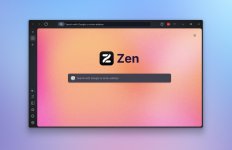
This project is a portable repackaging of Zen Browser for Windows. It allows you to run Zen Browser directly from a USB drive, an external hard drive, or any folder on your computer — without installation and without leaving traces on the host system.
Note: Zen Browser is an open-source, Firefox-based browser focused on productivity and a calmer internet experience. This portable build does not modify the original browser in any way; it simply wraps the official binaries with a portable launcher that redirects the profile directory.
Key Features:
Setup:
That's it — your portable Zen Browser is ready to use.
The portable launcher is powered by a simple C# wrapper that starts Zen Browser with a portable profile:
To update to a newer version of Zen Browser Portable:
Do not delete the data/ directory when updating. It contains all your bookmarks, passwords, extensions, and browsing history.
Note: Zen Browser is an open-source, Firefox-based browser focused on productivity and a calmer internet experience. This portable build does not modify the original browser in any way; it simply wraps the official binaries with a portable launcher that redirects the profile directory.
Key Features:
- Zero Installation - No admin rights needed. No registry entries. No leftover files.
- Fully Self-Contained - Browser binaries, profiles, bookmarks, extensions — everything lives inside one folder.
- Multi-Profile Support - 5 pre-configured profile slots out of the box. Switch between work, personal, and other contexts effortlessly.
- Sync-Friendly - Move the entire folder to another machine, plug in, and continue exactly where you left off.
- Privacy by Default - Runs with -no-remote flag, ensuring complete isolation from any locally installed Firefox/Zen instance.
Setup:
- Download the latest release and extract the ZIP to any location — your desktop, a USB drive, an external hard drive, anywhere you like.
- TIP: You can also copy the contents of an existing Zen Browser installation from C:\Program Files\Zen Browser\ directly into app/win/.
- Double-click PortableZen.exe and start browsing!
That's it — your portable Zen Browser is ready to use.
The portable launcher is powered by a simple C# wrapper that starts Zen Browser with a portable profile:
Code:
string dir = Path.GetDirectoryName(
    System.Reflection.Assembly.GetExecutingAssembly().Location);
string zenExe = Path.Combine(dir, "app", "win", "zen.exe");
string profile = Path.Combine(dir, "data", "profile1");
Process.Start(new ProcessStartInfo {
    FileName = zenExe,
    Arguments = "-profile \"" + profile + "\" -no-remote",
    UseShellExecute = false,
    CreateNoWindow = true
});
To update to a newer version of Zen Browser Portable:
- Download the latest Zen Browser from zen-browser.app/download.
- Delete the contents of the app/win/ folder.
- Extract the new browser files into app/win/.
- Your profiles and data remain untouched in the data/ folder.
Do not delete the data/ directory when updating. It contains all your bookmarks, passwords, extensions, and browsing history.